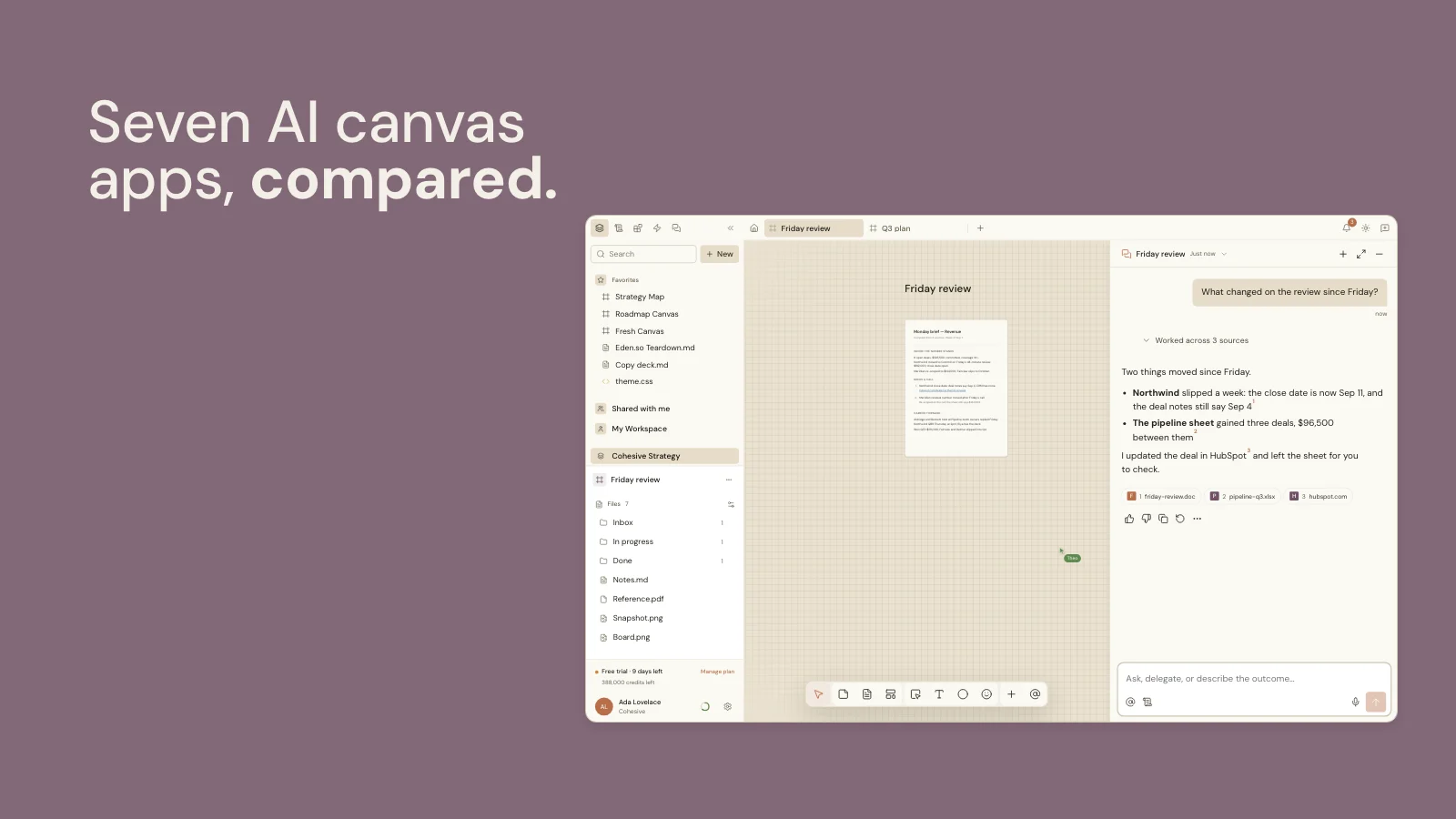
What is the best shared workspace for people and AI agents?
When work is spread across files, chats and apps, the agent starts from partial context and people have to stitch the result back together. The best shared workspace for people and AI agents keeps the files, the board and the connected apps in one place, lets the agent build the deliverable beside the sources it used, and leaves people to direct, edit and decide. Cohesive is a visual AI workspace built that way: a team and the agent edit the same canvas at once, and anything the agent changes can wait for the OK of the person who asked.
What is a shared workspace for people and AI agents?
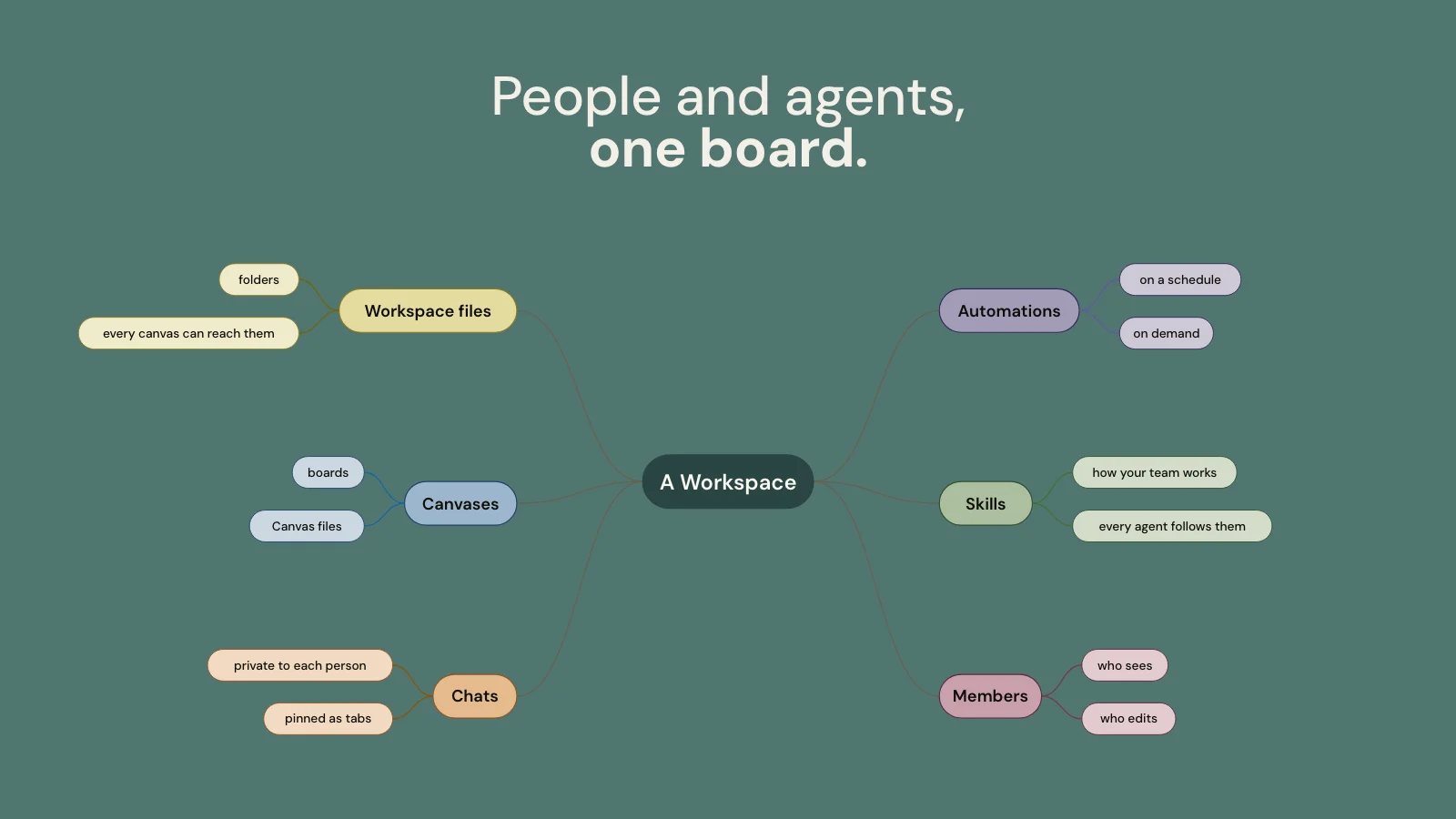
It is one place where a team and an AI agent work on the same material. The files, the board and the records from connected apps sit together, the agent reads them and does the work, and people direct it, edit what comes back and decide what goes out. Three things define one:
- Shared context. Everything the work needs is already in the workspace, so nobody briefs the agent from a blank page and nobody hunts for the latest version.
- An agent that makes things. It writes the document, builds the chart and arranges the board, instead of handing back text to paste somewhere else.
- People in charge. The person who asks sets the direction and decides which of the agent's changes wait for an OK; colleagues see the work and build on it.
How do people and agents work together in one place?
They work on the same board. In Cohesive, a canvas holds the notes, files, records from other apps, live Blocks and finished documents for one piece of work. Several people edit it at once, with live cursors, and the agent edits it too: its changes sync like anyone else's. Real-time co-editing is familiar from tools like Google Docs.
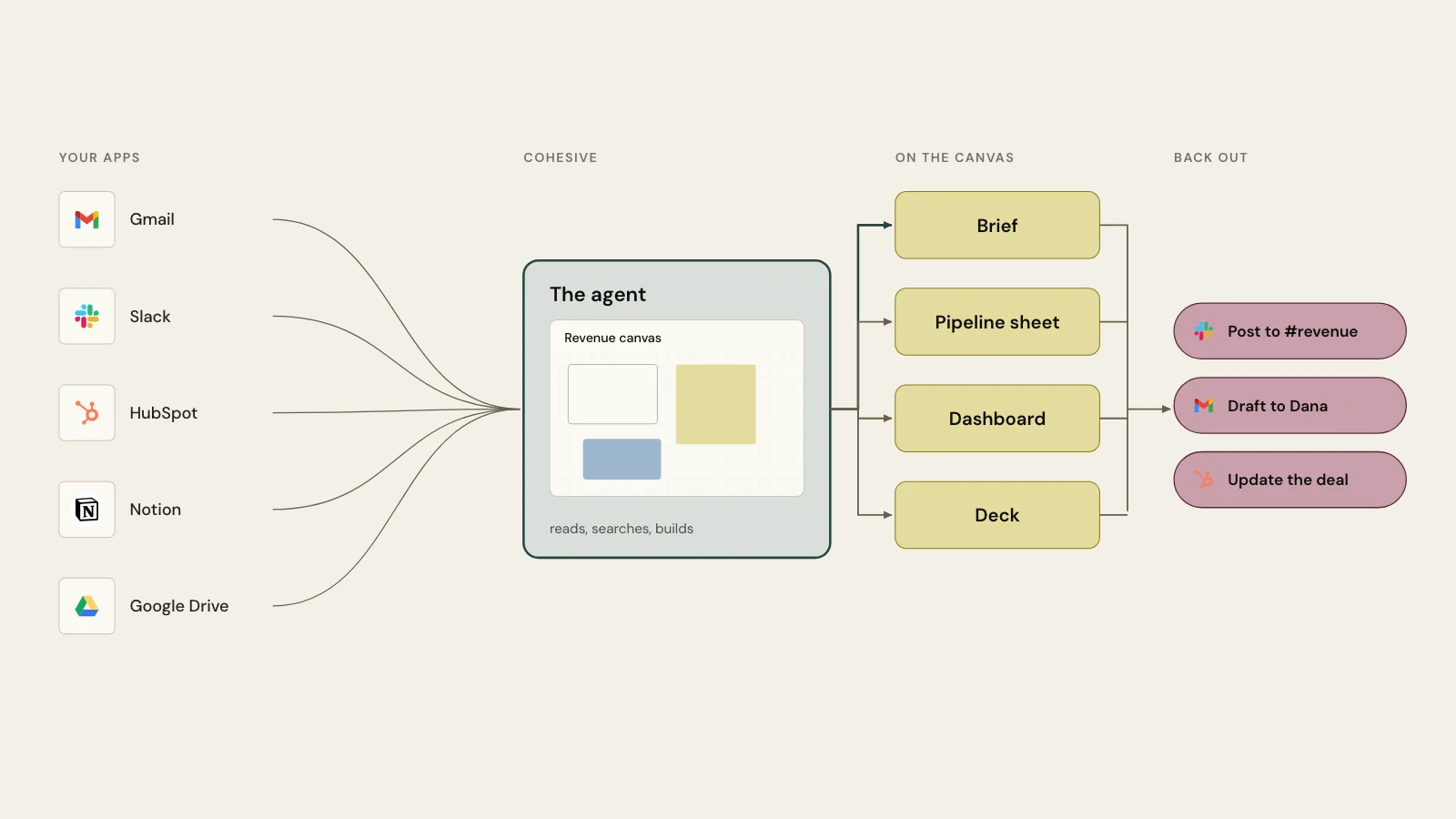
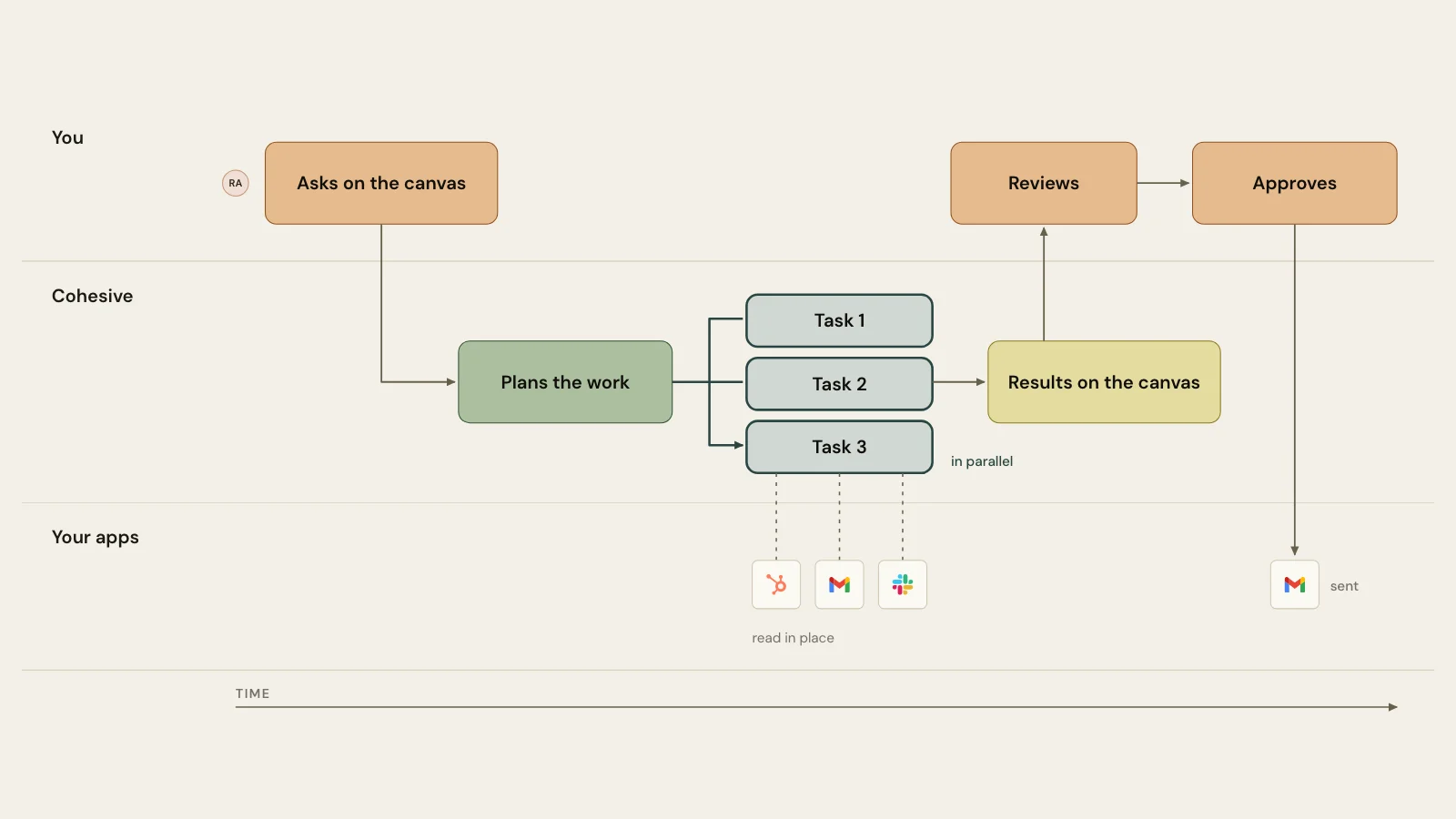
A person selects the cards that matter and asks for what's next. The agent reads the canvas, the person's files and their connected apps, then builds the result on the canvas beside what it used. A colleague who opens the canvas later sees the sources, the draft and the decision in one view, and can carry on from there.
How does a shared workspace keep context?
It keeps the work where it was made. A canvas holds its contents from one visit to the next, so the next person, or the next run of the agent, starts from what is already there. The agent reads the canvas on every turn, including where each card sits, the summaries of its files and its comments.
Three records keep the history:
- Chats. Every chat with the agent is kept, private to the person who started it.
- Versions. Documents keep 30 days of versions, up to 100, with compare and restore.
- Replay. A canvas's version history plays back, so you can watch how the work came together.
A record of the work pays off: Slack's guide to project documentation notes that teams that document well spend less time answering the same questions and more time moving work forward.
Instructions persist too. Write how your team does a job once as a Skill, and the agent follows it whenever it uses the Skill; publish it to the organization and colleagues add it to their own Skills.
What can an AI agent make in a shared workspace?
The deliverable itself. Cohesive's agent writes and edits documents in Markdown or HTML, including decks; builds charts, dashboards and small apps as live Blocks; and adds, groups and arranges cards on the board. It searches the web, works in connected apps such as Gmail, Slack, HubSpot and Notion, and runs code in a private sandbox.
For large jobs with many similar parts, it splits the work across up to 50 parallel tasks run by sub-agents and gathers the results: thirty interview transcripts become thirty notes in one format, then one synthesis.
Who decides what the agent changes?
The person who asked. Collaborative tools already use formal approvals: Google Drive's approval process sends a document to named reviewers and locks it once they all approve. Every chat in Cohesive runs in a permission mode set in the composer:
| Mode | What the agent does |
|---|---|
| Manual | Asks before every command that changes something |
| Auto | Decides for itself and still asks before risky commands; the default for new chats |
| Allow all | Accepts every command in that chat without asking |
When a step needs an OK, like sending an email or updating a CRM deal, the chat pauses and shows what the step will do, and the person who started the chat accepts or cancels it. Reading never asks. A cancelled step does not run, and the agent turns to what you want next instead of retrying it.
What does this look like on a team?
Three requests a team might make, each on its own canvas:
- Product. "Read the six interview notes and the survey export, group what customers asked for into themes with a quote for each, and draft the research readout." The product manager edits the readout; the designer adds sketches beside the themes.
- Sales. "Compare this week's HubSpot pipeline with the forecast sheet and last week's review on this canvas, and list every deal whose close date moved." The sales lead checks the flags and asks for follow-up emails, which can wait for approval before they send.
- Marketing. "Turn the launch brief and these three research reports into a launch plan and a one-page summary for the exec team." The team comments on the plan as it takes shape; comments are rolling out.
What should you look for in a shared workspace for people and agents?
| Look for | Why it matters |
|---|---|
| One board everyone edits live | The team and the agent work on the same version, not copies |
| Results beside their sources | Anyone can check a claim against the file it came from |
| Your apps connected | The agent reads and acts where your records already live |
| Approvals you control | You choose how much the agent does before it asks |
| Instructions that persist | Teach a process once as a Skill, and every run that uses it follows it |
| A record of the work | Chats, versions and replay show how a result came to be |
How do you start?
Pick one job your team repeats, put its inputs on a canvas, invite the colleague who reviews it, and ask the agent for the output. Cohesive's 14-day free trial includes every capability.
Summary
A shared workspace keeps the sources, the draft and the decision in one place.
What to look for:
- Shared context: the files, notes and connected apps live beside the work.
- Visible sources: the draft stays next to what the agent used.
- People in charge: people decide what changes go out.
Cohesive is built around one canvas, one set of sources, and approvals you control.
Frequently asked questions
Can several people work with the agent on the same canvas?
Yes. A canvas is edited live by everyone who can edit it and by the agent, with live cursors showing who is where. Each person's chats with the agent stay private to them, and what the agent makes lands on the canvas for everyone.
Does the agent work in my other apps?
Yes, once you connect them. Gmail, Google Drive, Google Calendar, Slack, HubSpot, Notion, GitHub, Granola and others give the agent tools to read and act there, within the permission mode you set for the chat.
Do colleagues see my chats with the agent?
No. A chat is private to the person who started it, even on a shared canvas. The documents, Blocks and cards the agent makes on the canvas are visible to everyone with access.
Can agents run without someone starting them?
Automations, which run the agent on a schedule in one canvas or Workspace, are rolling out. Each run works with its owner's access and is kept as a chat you can open.
How much does Cohesive cost?
Standard is $20 and Pro is $40 a seat a month, with a 14-day free trial.
Updated